> ## Documentation Index
> Fetch the complete documentation index at: https://docs.leaderos.net/llms.txt
> Use this file to discover all available pages before exploring further.
# Currencies
> Users from all over the world can make purchases on your website and view your store in their own currency.
When "Auto Update" is enabled, the currency is updated every 24 hours by fetching its current value from our API server.
## How can I fix the currency rate?
Disabling **"Auto Update"** and changing the **"Rate"** value will fix the currency rate to the entered value and prevent it from being updated by the auto-updater.
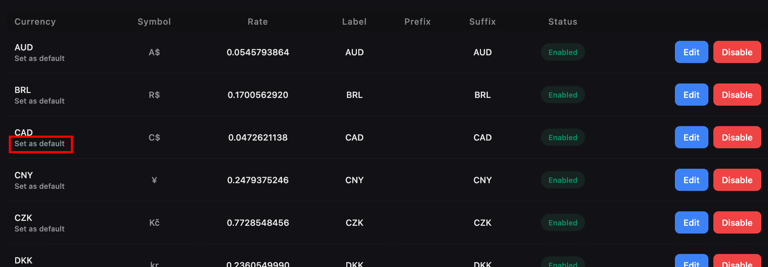
## How can I change the Default Currency?
Find the currency you want to make the default from the list and click **"Set Default"**.