> ## Documentation Index
> Fetch the complete documentation index at: https://docs.leaderos.net/llms.txt
> Use this file to discover all available pages before exploring further.
# Languages & Translations
> Users from all over the world can visit your website and view it in their own language.
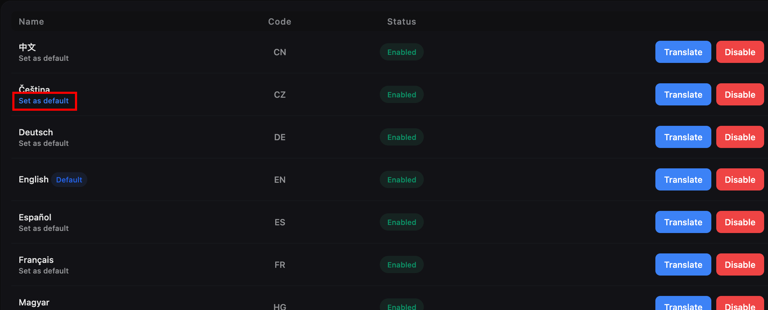
## How can I change the Default Language?
Find the language you want to make the default from the list and click **"Set Default"**.
 ## How can I translate a language?
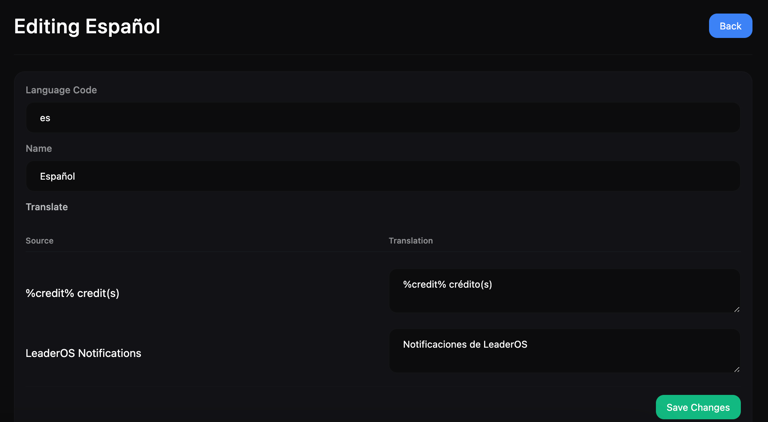
Find the language you want to make the default from the list and click **"Translate"**.
## How can I translate a language?
Find the language you want to make the default from the list and click **"Translate"**.
 ## How can I add a new Language?
Click the **"Add Language"** button and fill in the fields. After adding it, you can translate it.
## How can I add a new Language?
Click the **"Add Language"** button and fill in the fields. After adding it, you can translate it.