> ## Documentation Index
> Fetch the complete documentation index at: https://docs.leaderos.net/llms.txt
> Use this file to discover all available pages before exploring further.

# Paymentwall

* Go to Settings > Payment Methods page, and fill in the fields.

| Settings    | Description                 |
| ----------- | --------------------------- |
| Project Key | Project Settings > Settings |
| Secret Key  | Project Settings > Settings |
| Widget ID   | Project Settings > Widgets  |

## How can I get API Credentials?

* Go to Paymentwall > Project Settings > Settings to get Project Key and Secret Key
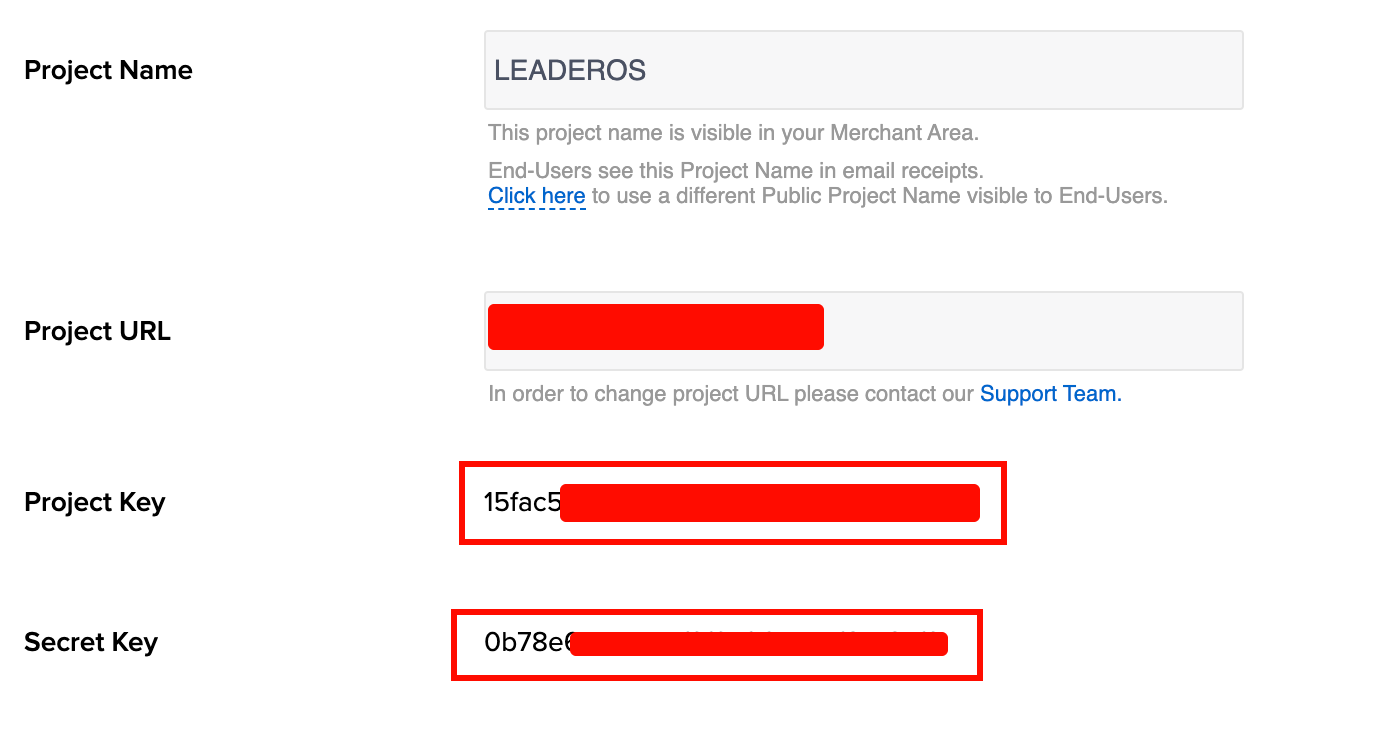
  <img src="https://mintcdn.com/leaderos/cH1vXl0bXws0t_ED/images/settings/payment-methods/paymentwall-credentials.png?fit=max&auto=format&n=cH1vXl0bXws0t_ED&q=85&s=4ccde8616823b2410293d905dddd7357" alt="Image" width="1392" height="734" data-path="images/settings/payment-methods/paymentwall-credentials.png" />
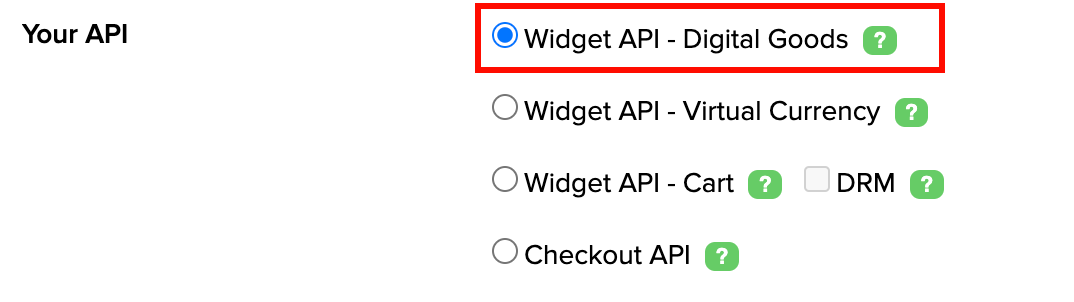
  <img src="https://mintcdn.com/leaderos/RSiB1c7CNJn9Y9yJ/images/settings/payment-methods/paymentwall-api-selection.png?fit=max&auto=format&n=RSiB1c7CNJn9Y9yJ&q=85&s=3b9f3d152c16ec32ff82e276a9c7eaa4" alt="Image" width="1074" height="302" data-path="images/settings/payment-methods/paymentwall-api-selection.png" />

<Info>
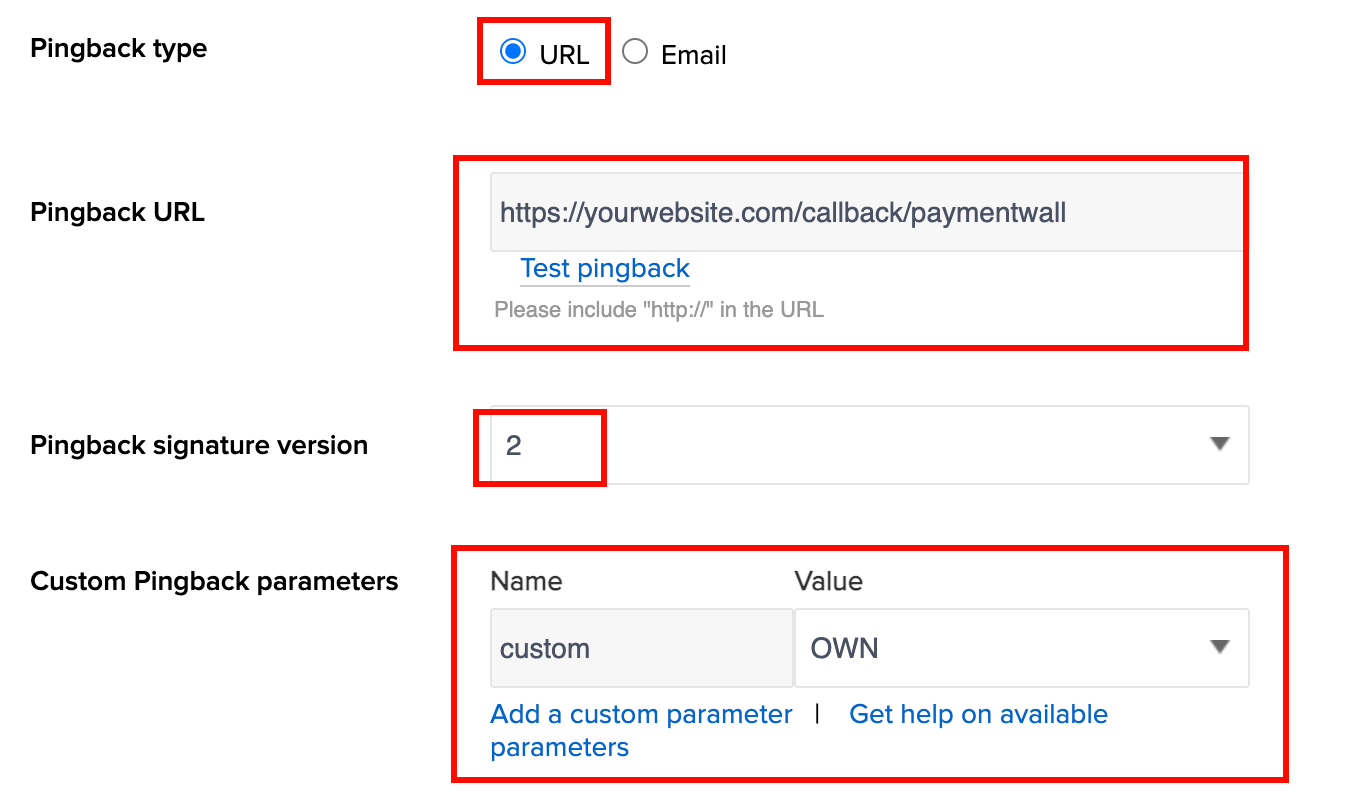
  Change your Pingback URL and add the Custom Pingback parameter.
  Use same name and value! Name: custom, Value: OWN
</Info>

<img src="https://mintcdn.com/leaderos/cH1vXl0bXws0t_ED/images/settings/payment-methods/paymentwall-pingback-settings.png?fit=max&auto=format&n=cH1vXl0bXws0t_ED&q=85&s=cbfbad523ddef9e716efb705d76fc114" alt="Image" width="1348" height="808" data-path="images/settings/payment-methods/paymentwall-pingback-settings.png" />