> ## Documentation Index
> Fetch the complete documentation index at: https://docs.leaderos.net/llms.txt
> Use this file to discover all available pages before exploring further.
# Stripe
* Go to Settings > Payment Methods page, and fill in the fields.
| Settings | Description |
| -------------------------- | ------------------------------ |
| **Stripe Publishable Key** | Stripe > Developers > API Keys |
| **Stripe Secret Key** | Stripe > Developers > API Keys |
| **Stripe Webhook Key** | Stripe > Developers > Webhooks |
## How can I get API credentials?
* To access Stripe API information, go to Stripe **Dashboard > Developers > API** Keys page.
* [https://dashboard.stripe.com/apikeys](https://dashboard.stripe.com/apikeys)
* Copy both Publishable Key and Secret Key, then enter it to the required fields in your website.
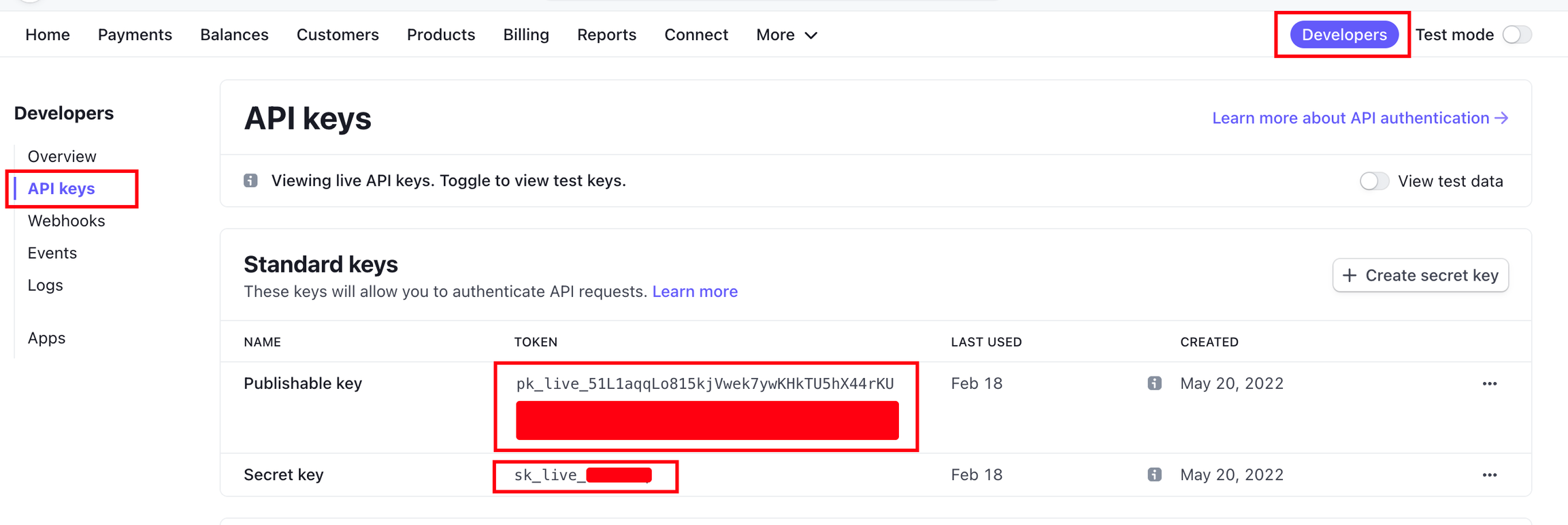 * We've got all the information required to charge players, but now we must configure the Webhook options.
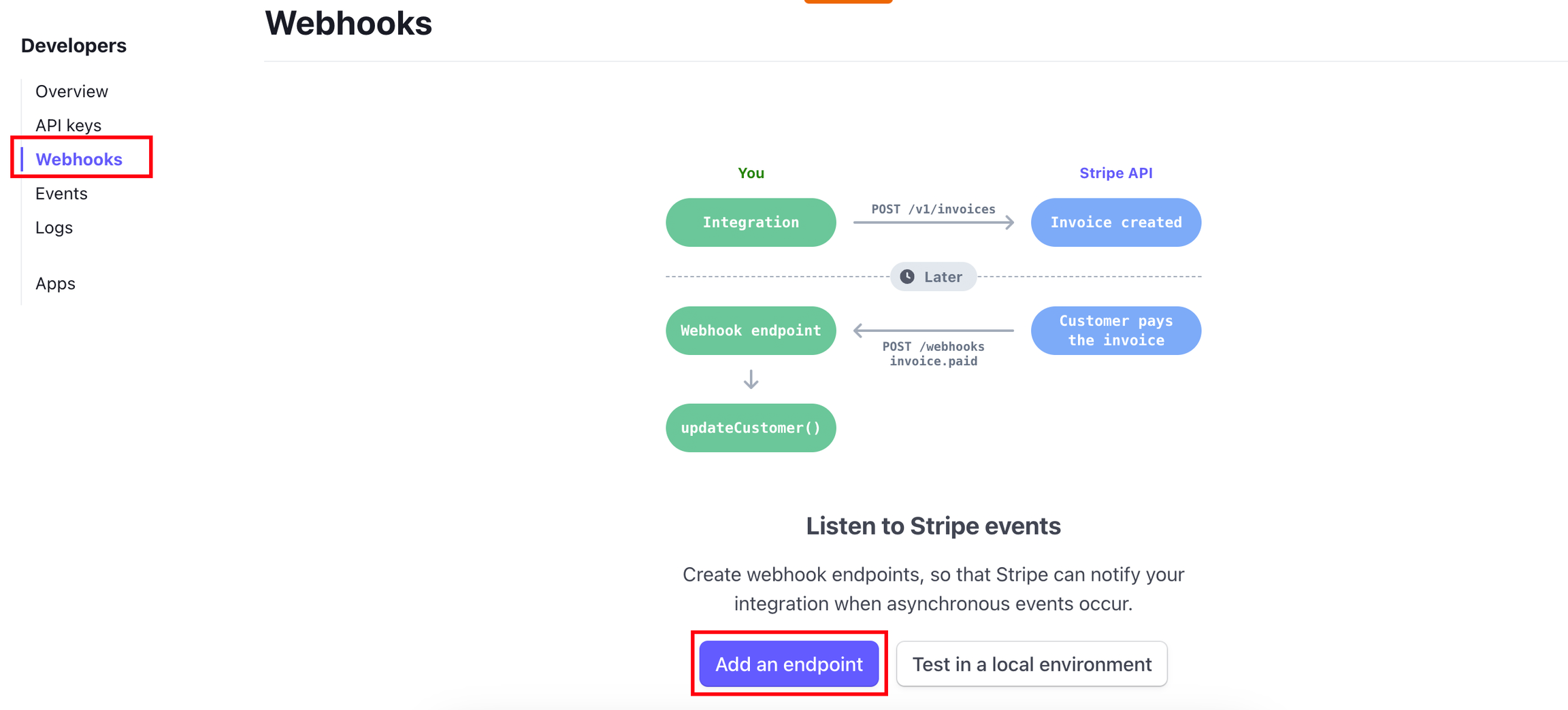
* To add a Webhook, go to **Stripe Dashboard > Developers > Webhooks** page and press to **"Add Endpoint"** button.
* [https://dashboard.stripe.com/webhooks](https://dashboard.stripe.com/webhooks)
* We've got all the information required to charge players, but now we must configure the Webhook options.
* To add a Webhook, go to **Stripe Dashboard > Developers > Webhooks** page and press to **"Add Endpoint"** button.
* [https://dashboard.stripe.com/webhooks](https://dashboard.stripe.com/webhooks)
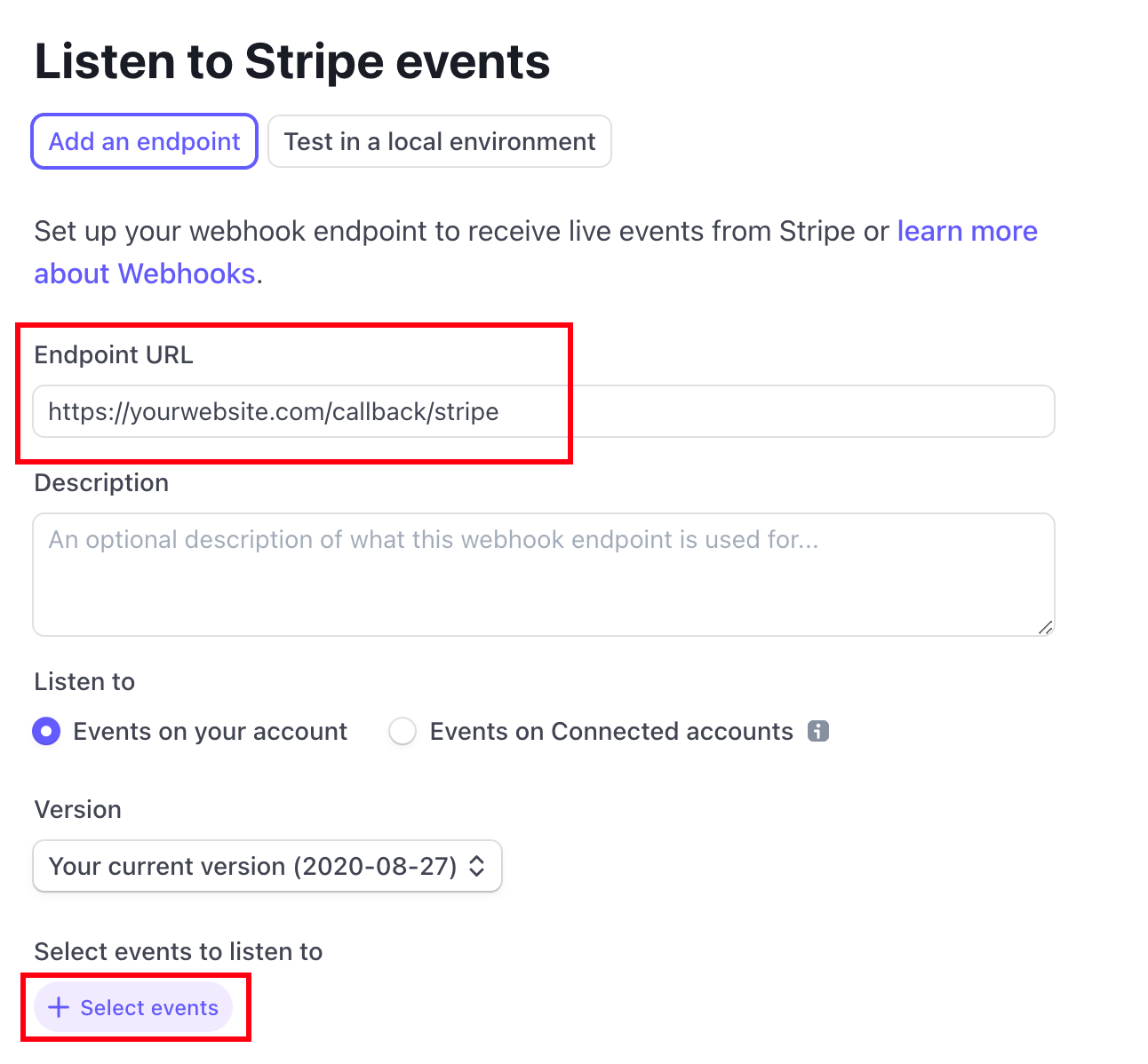
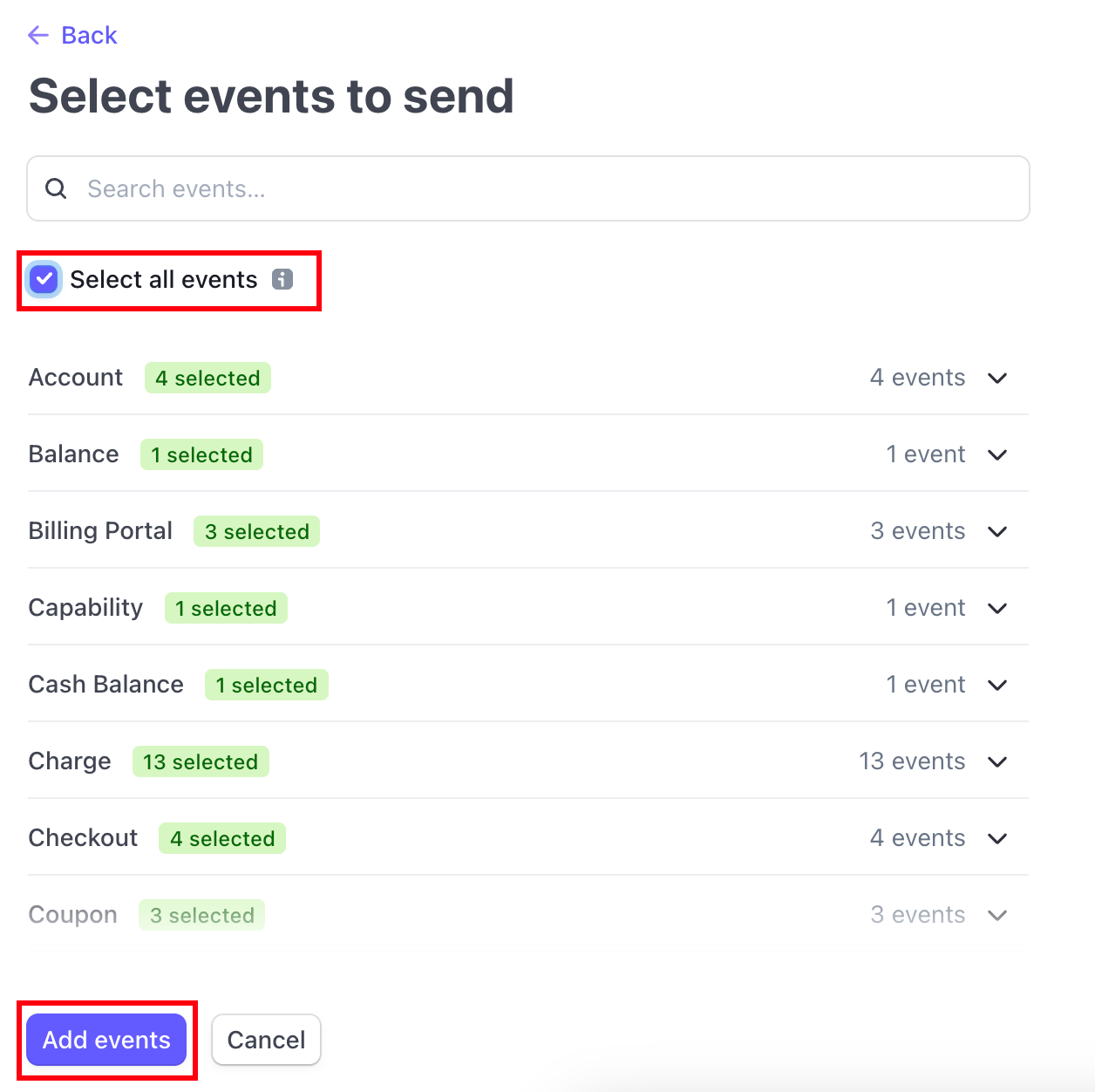 * Our Stripe Webhook Key is now generated. From the Signing Secret section, press the Reveal button and copy the key. Then, paste that into Stripe API Webhook Key field on your website.
