> ## Documentation Index
> Fetch the complete documentation index at: https://docs.leaderos.net/llms.txt
> Use this file to discover all available pages before exploring further.
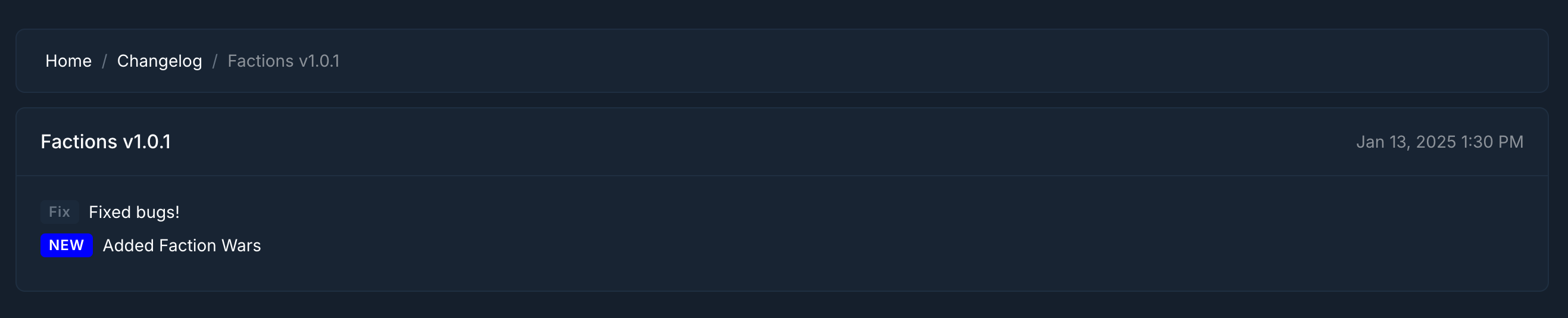
# Changelog
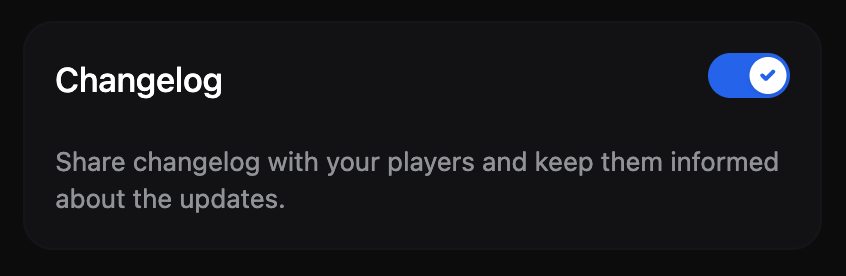
> Share changelog with your players and keep them informed about the updates.
### Using Changelog
1. Enable the Changelog module from **Dashboard > Settings > Modules**.
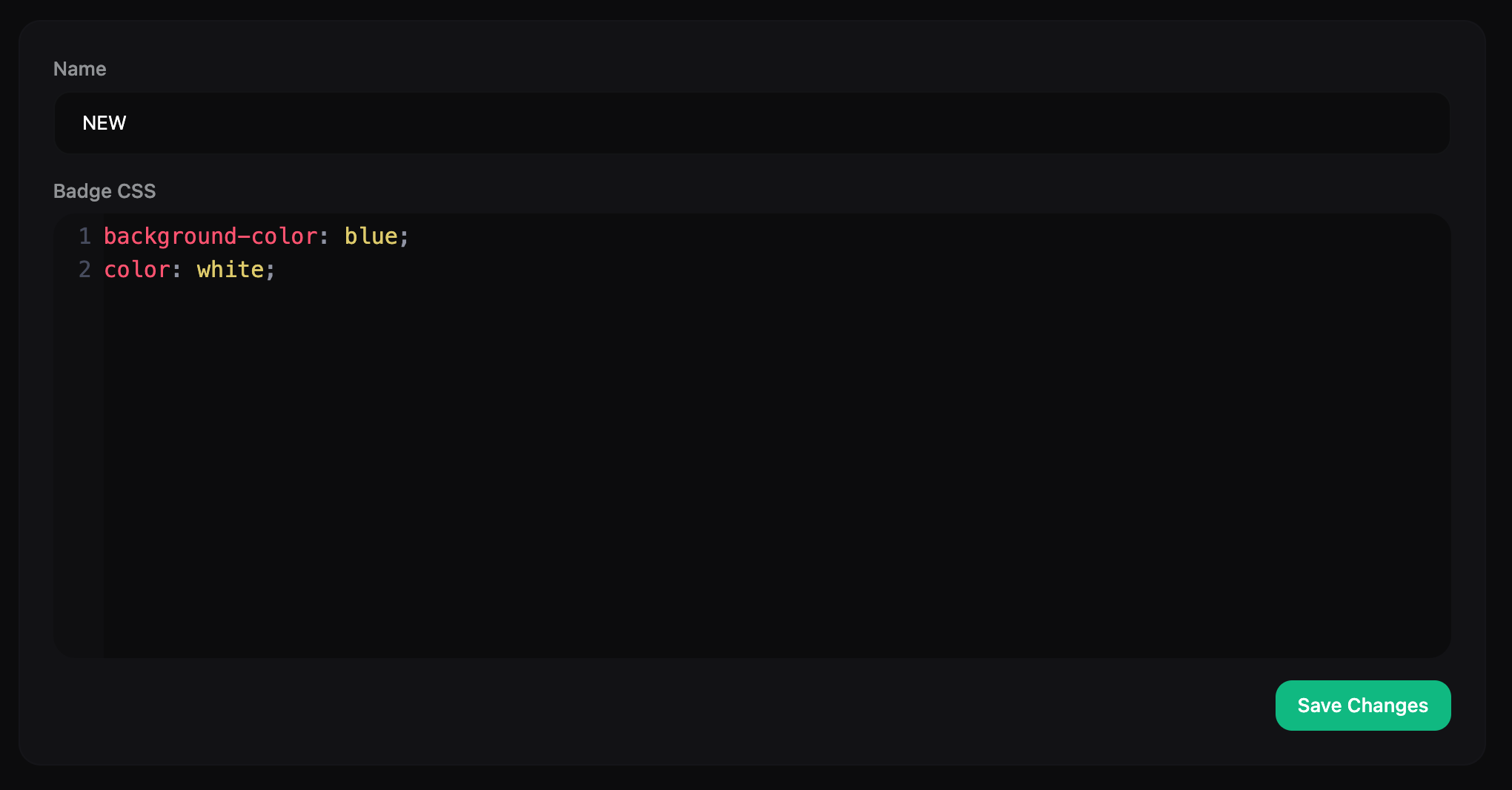
 2. Create/edit update tags from **Dashboard > Content Management > Changelog > Tags**.
* **Name:** Tag name
* **CSS:** You can write custom CSS for the tag and change its design.
2. Create/edit update tags from **Dashboard > Content Management > Changelog > Tags**.
* **Name:** Tag name
* **CSS:** You can write custom CSS for the tag and change its design.
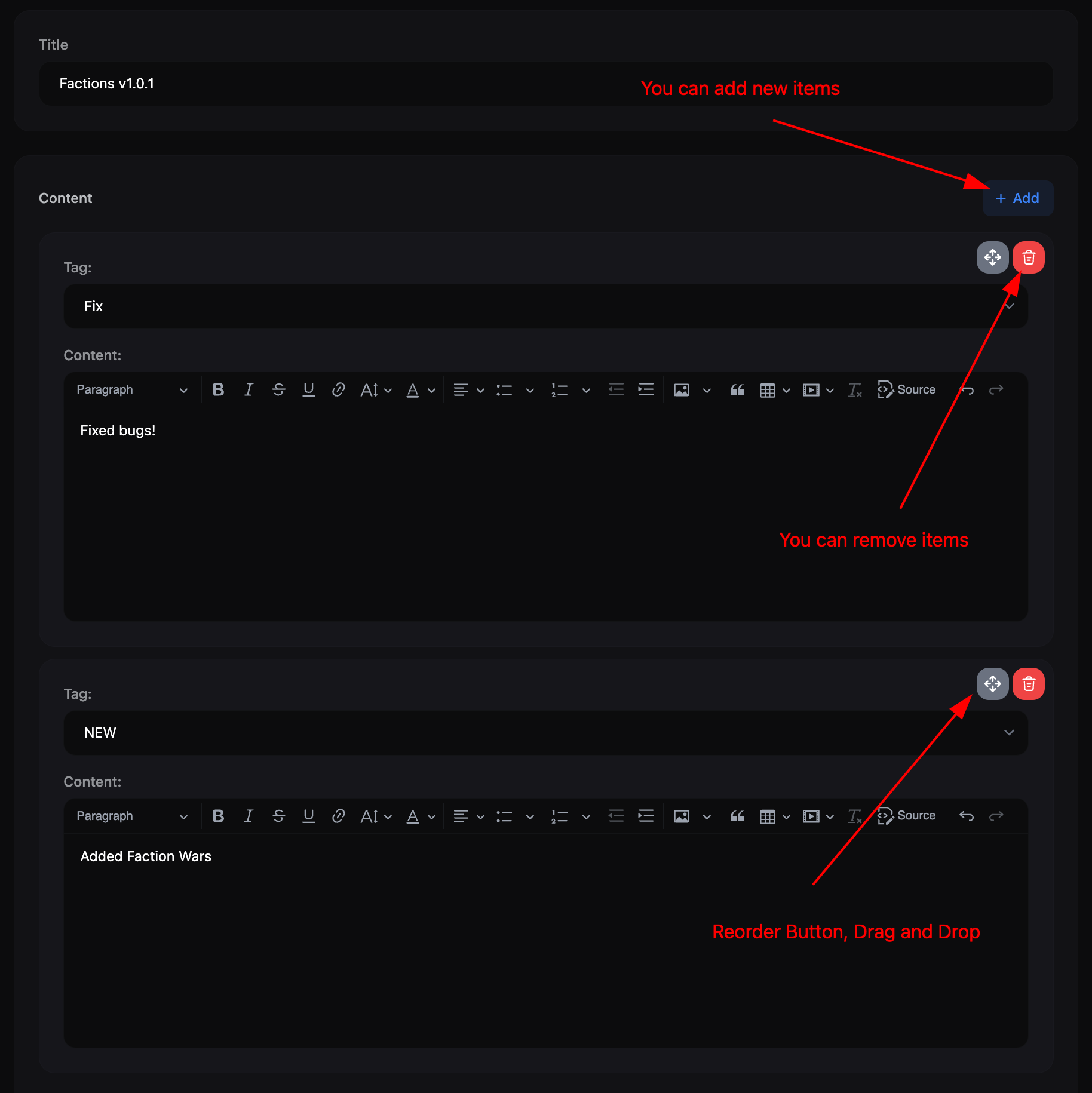
 3. Add update notes from **Dashboard > Content Management > Changelog > Add New**.
* **Title:** Title of the update note
* **Content:** Details of the update content. You can add multiple notes here.
* **Tag:** Specify which tag the update note belongs to, such as Fix, New, Improvement.
* **Content:** Explain the update note in detail. Supports HTML.
3. Add update notes from **Dashboard > Content Management > Changelog > Add New**.
* **Title:** Title of the update note
* **Content:** Details of the update content. You can add multiple notes here.
* **Tag:** Specify which tag the update note belongs to, such as Fix, New, Improvement.
* **Content:** Explain the update note in detail. Supports HTML.
 ### Adding Changelog link to Header Menu
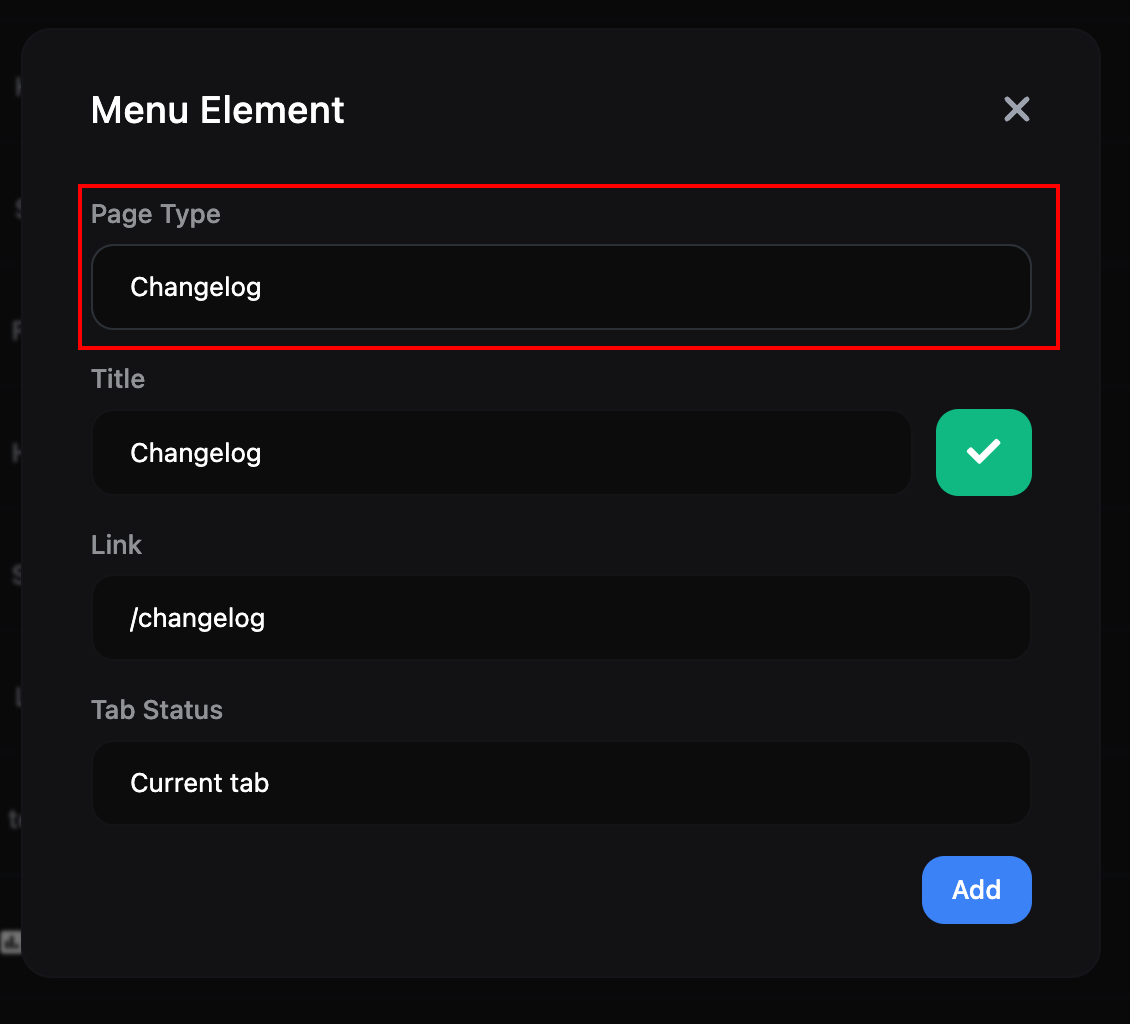
Click the "Add New Item" button on the **Dashboard > Appearance > Header Menu** page. In the window that opens, select "Changelog" as the "Page Type" and click the "Add" button.
### Adding Changelog link to Header Menu
Click the "Add New Item" button on the **Dashboard > Appearance > Header Menu** page. In the window that opens, select "Changelog" as the "Page Type" and click the "Add" button.