> ## Documentation Index
> Fetch the complete documentation index at: https://docs.leaderos.net/llms.txt
> Use this file to discover all available pages before exploring further.
# Punishments
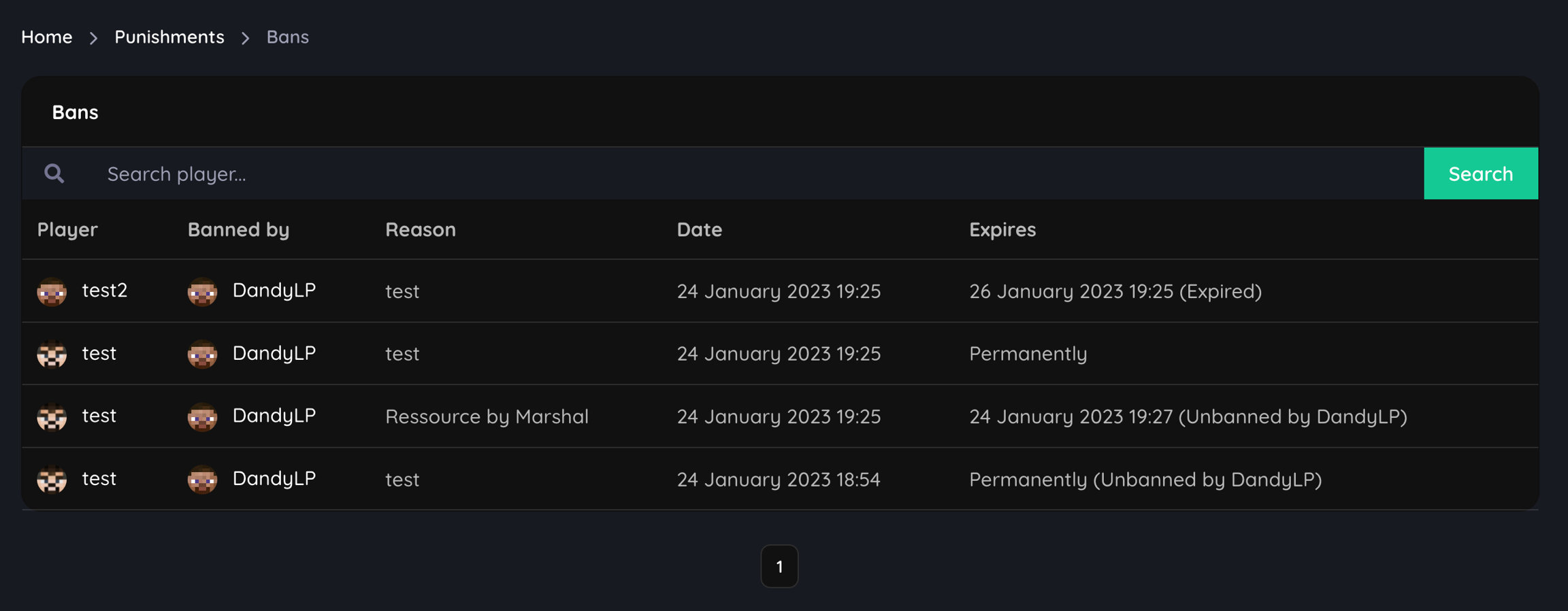
> You can share Bans, Kicks, Mutes and Warnings tables on your website. This data is taken from the LiteBans or AdvancedBan plugin.
#### What are the supported Ban plugins?
We currently support **LiteBans** and **AdvancedBan**.
#### How can I set up Punishments module?
1. Install a supported Ban plugin on your Minecraft server. [What are the supported Ban plugins?](#what-are-the-supported-ban-plugins)
2. Connect the Ban plugin to a MySQL server.
* [How to connect LiteBans to a MySQL server?](#how-to-connect-litebans-to-a-mysql-server)
* [How to connect AdvancedBan to a MySQL server?](#how-to-connect-advancedban-to-a-mysql-server)
3. Go to **Dashboard > Settings > Punishments** and select a supported Ban plugin.
4. You can connect to the same MySQL server with the website or a different one. If you want to use the different MySQL server, enter the credentials for this server.

 ### How to connect LiteBans to a MySQL server?
1. Install LiteBans on your Minecraft server.
2. Open the **config.yml** file in the LiteBans folder.
3. Find the **sql** section and enter your MySQL credentials.
* Change the **driver** to `MySQL`.
* Enter your MySQL server ip, database name, username, and password.
```yaml theme={null}
sql:
# H2, MySQL, MariaDB, and PostgreSQL are supported database drivers.
driver: MySQL
## MySQL/PostgreSQL settings ##
# If using H2, the database will be stored in the LiteBans plugin folder,
# and most of these settings won't apply.
# Database server address.
address: MYSQL_SERVER_IP:3306
# Database name, username and password.
database: 'litebans'
username: ''
password: ''
```
4. Restart your server.
### How to connect AdvancedBan to a MySQL server?
1. Install AdvancedBan on your Minecraft server.
2. Open the **config.yml** file in the AdvancedBan folder.
3. Set true the **UseMySQL** option.
4. Find the **MySQL** section and enter your MySQL credentials.
* Change the **driver** to `MySQL`.
* Enter your MySQL server ip, database name, username, and password.
```yaml theme={null}
UseMySQL: true
MySQL:
IP: MYSQL_SERVER_IP
DB-Name: MYSQL_DATABASE_NAME
Username: MYSQL_USERNAME
Password: MYSQL_PASSWORD
Port: 3306
```
5. Restart your server.
### How to connect LiteBans to a MySQL server?
1. Install LiteBans on your Minecraft server.
2. Open the **config.yml** file in the LiteBans folder.
3. Find the **sql** section and enter your MySQL credentials.
* Change the **driver** to `MySQL`.
* Enter your MySQL server ip, database name, username, and password.
```yaml theme={null}
sql:
# H2, MySQL, MariaDB, and PostgreSQL are supported database drivers.
driver: MySQL
## MySQL/PostgreSQL settings ##
# If using H2, the database will be stored in the LiteBans plugin folder,
# and most of these settings won't apply.
# Database server address.
address: MYSQL_SERVER_IP:3306
# Database name, username and password.
database: 'litebans'
username: ''
password: ''
```
4. Restart your server.
### How to connect AdvancedBan to a MySQL server?
1. Install AdvancedBan on your Minecraft server.
2. Open the **config.yml** file in the AdvancedBan folder.
3. Set true the **UseMySQL** option.
4. Find the **MySQL** section and enter your MySQL credentials.
* Change the **driver** to `MySQL`.
* Enter your MySQL server ip, database name, username, and password.
```yaml theme={null}
UseMySQL: true
MySQL:
IP: MYSQL_SERVER_IP
DB-Name: MYSQL_DATABASE_NAME
Username: MYSQL_USERNAME
Password: MYSQL_PASSWORD
Port: 3306
```
5. Restart your server.