> ## Documentation Index
> Fetch the complete documentation index at: https://docs.leaderos.net/llms.txt
> Use this file to discover all available pages before exploring further.
# Credit Packages
> Create predefined credit packages. Encourage users to purchase more credits by offering discounts and bonus credits.
### How to enable Credit Packages?
Go to **Dashboard > Settings > System Settings** and enable the **Credit Packages** setting. After enabling the setting, you can add credit packages on the **Dashboard > Store > Credit Packages** page.
### How to create a Credit Package?
Go to **Dashboard > Store > Credit Packages > Add New**. You can add a credit package by providing the following information:
* **Title**: The title of the credit package.
* **Price**: The price of the credit package.
* **Bonus Credits**: The bonus credits that the user will receive when purchasing the credit package.
* **Description**: The description of the credit package.
* **Image**: The image of the credit package.
* **Price Tab:**
* **Price:** The price of the credit package.
* **Discount Status:** Enable this setting to provide a discount on the credit package. If you enable this setting, you will need to provide the following information:
* **Discounted Price:** The discounted price of the credit package.
* **Discount Duration Status:** You can apply either a Permanent or a Temporary discount. If you select the Temporary discount, you will need to provide the following information:
* **Discount Duration:** Choose an end date and time for the discount from the calendar.
* **Stock Tab:**
* **Stock Status:** Enable this setting to manage the stock of the credit package. If you enable this setting, you will need to provide the following information:
* **Stock:** The stock of the credit package.
### How to see the Credit Packages on the website?
You can see the credit packages on the **Buy Credits** page. Go to **yourwebsite.com/credit/buy** page to see the credit packages.
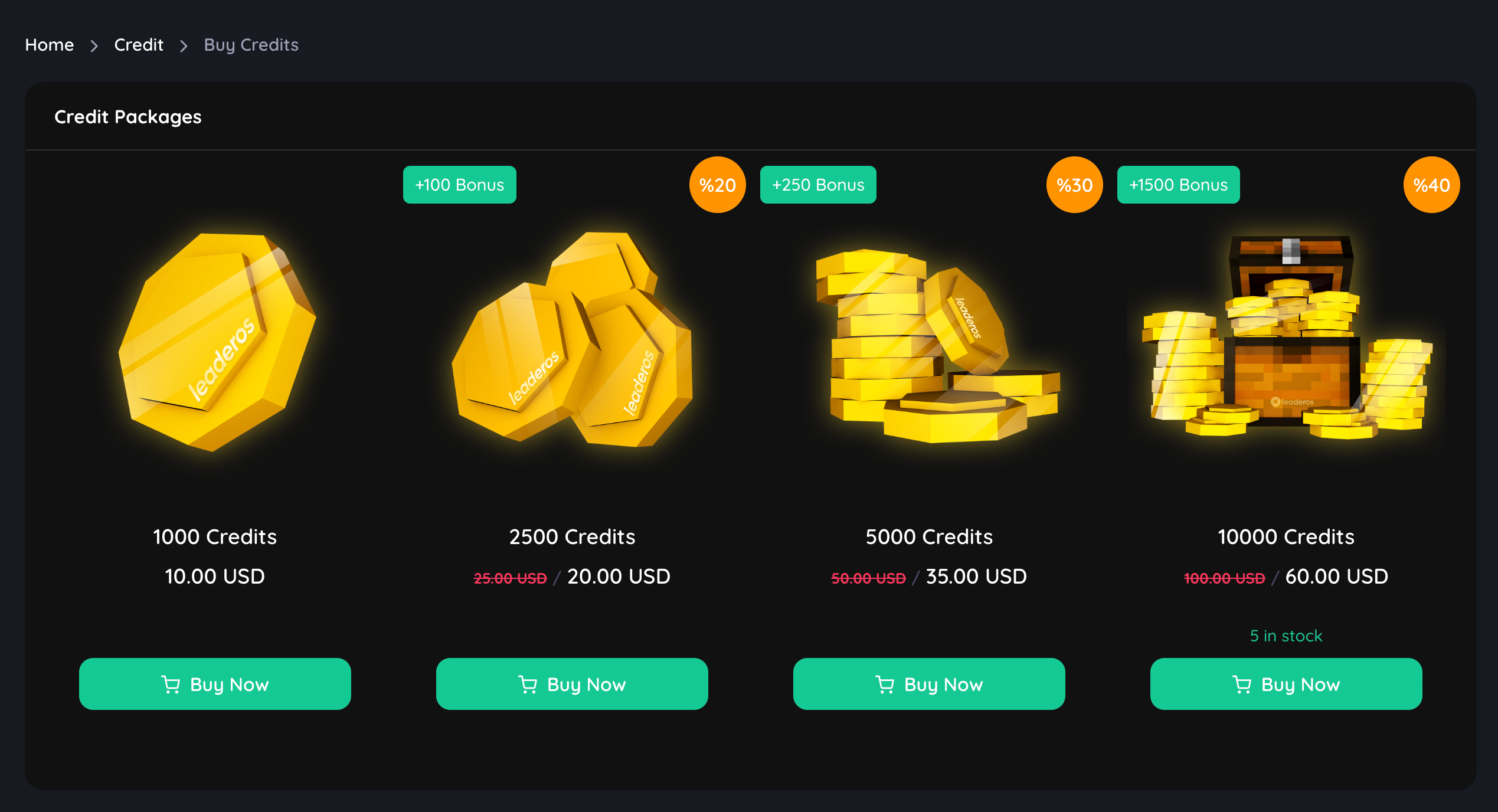 Download our [Free Store Icon Pack](https://www.spigotmc.org/resources/leaderos-free-store-icon-pack.105497/) to get this and other sample product images.
### How to disable Credit Packages?
Go to **Dashboard > Settings > System Settings** and disable the **Credit Packages** setting.
Download our [Free Store Icon Pack](https://www.spigotmc.org/resources/leaderos-free-store-icon-pack.105497/) to get this and other sample product images.
### How to disable Credit Packages?
Go to **Dashboard > Settings > System Settings** and disable the **Credit Packages** setting.