> ## Documentation Index
> Fetch the complete documentation index at: https://docs.leaderos.net/llms.txt
> Use this file to discover all available pages before exploring further.
# Categories
> Categorize your support tickets and collect different data from users with category-specific custom fields.
### How to create a support category?
Go to **Dashboard > Support & Help > Tickets > Categories > Add New**. You can add a category by providing the following information:
* **Name:** The name of the category.
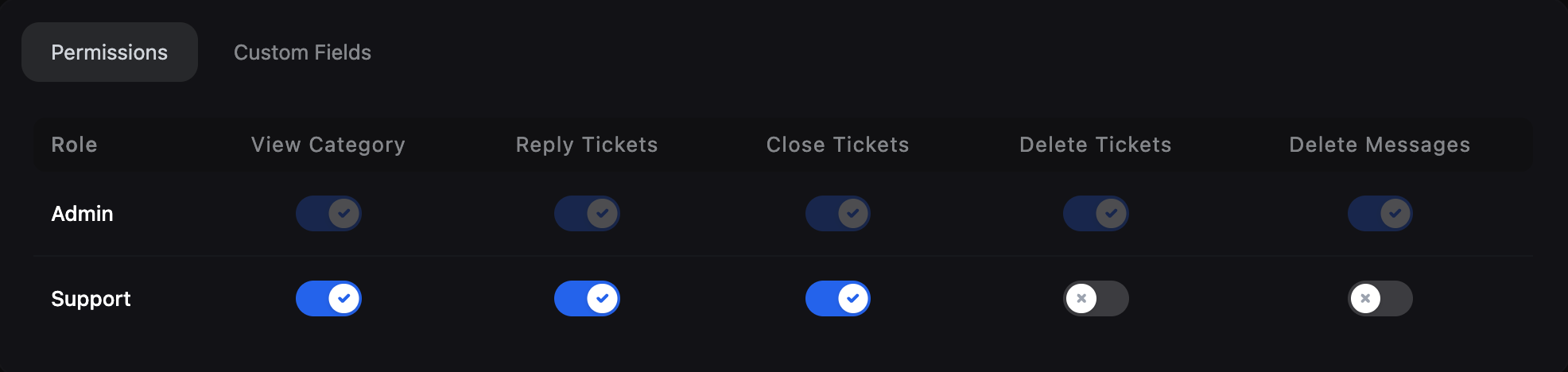
* **Permissions Tab:** You can select the roles that can view and manage tickets of this category.
* Only roles with **"Manage Support Tickets"** permission can be edited in the permission table.
* You can also see the roles with **"Super Admin"** and **"Manage Support"** permissions in this table, but you cannot edit the permissions of the roles with these permissions.
* You cannot see roles in this table except roles with **"Super Admin"**, **"Manage Support"** and **"Manage Support Tickets"** permissions.
* Users with the **"Manage Support Tickets"** permission that you define for the user will automatically have all category-specific permissions.
* When you add a new role with **"Manage Support Tickets"** permission, it will not have category-specific permissions. Therefore, you will need to edit this category again for each new role you add.
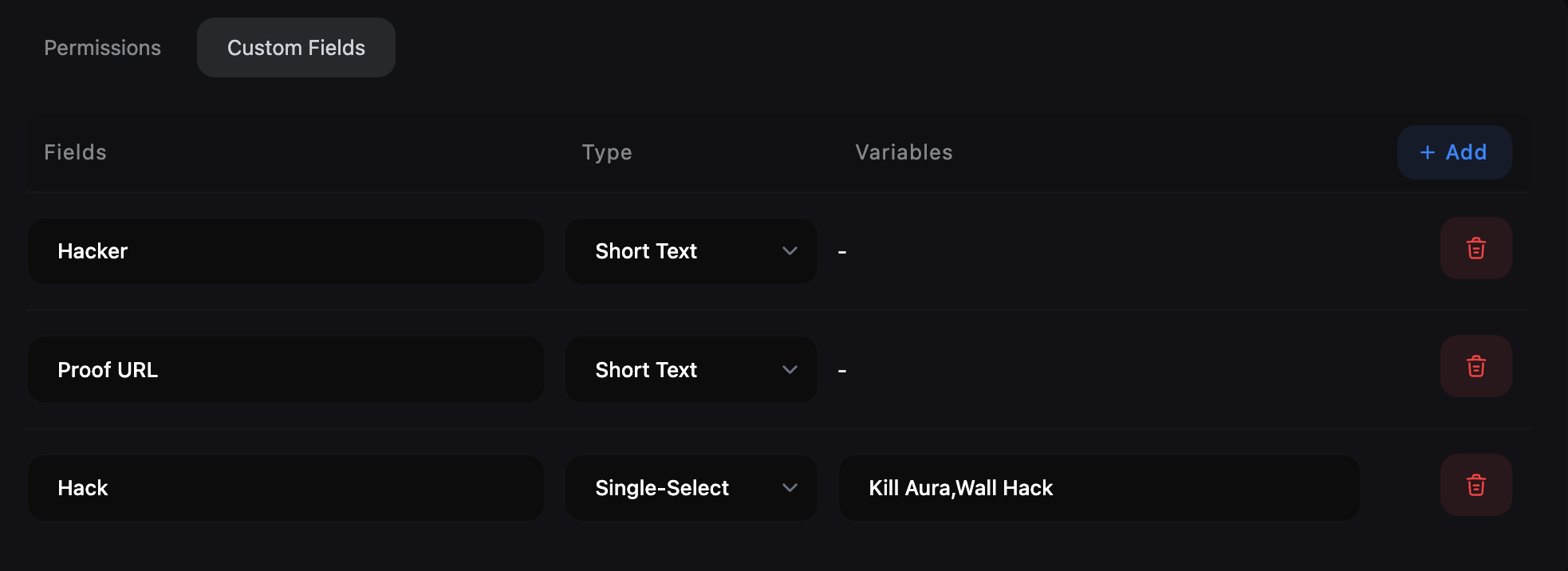
 * **Custom Fields Tab:** You can add multiple custom fields that are specific to this category by clicking on the "Add" button. These fields will be displayed when a user selects this category while submitting a ticket.
* **Field Label:** The label of the custom field.
* **Field Type:** The type of the custom field. It can be a short text, long text, single select, multi-select.
* **Short Text:** A single line text field.
* **Long Text:** A multi-line text field.
* **Single Select:** A dropdown field where users can select only one option. You can add multiple options separated by a comma.
* **Multi-Select:** A dropdown field where users can select multiple options. You can add multiple options separated by a comma.
* **Custom Fields Tab:** You can add multiple custom fields that are specific to this category by clicking on the "Add" button. These fields will be displayed when a user selects this category while submitting a ticket.
* **Field Label:** The label of the custom field.
* **Field Type:** The type of the custom field. It can be a short text, long text, single select, multi-select.
* **Short Text:** A single line text field.
* **Long Text:** A multi-line text field.
* **Single Select:** A dropdown field where users can select only one option. You can add multiple options separated by a comma.
* **Multi-Select:** A dropdown field where users can select multiple options. You can add multiple options separated by a comma.
 ### How do custom fields work?
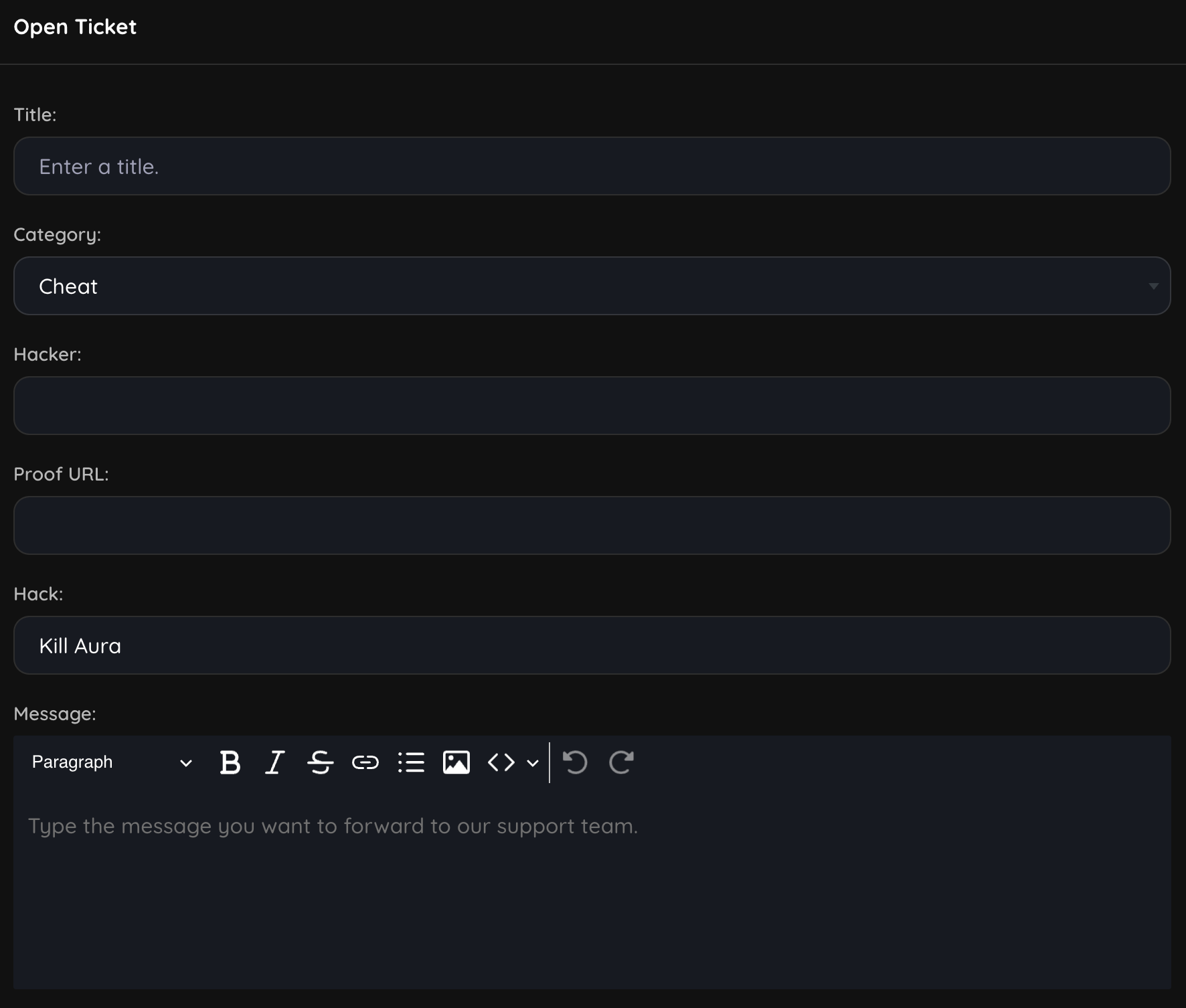
When a user selects a category while submitting a ticket, the custom fields of that category will be displayed on the ticket submission form. The user will have to fill in these fields to submit the ticket.
### How do custom fields work?
When a user selects a category while submitting a ticket, the custom fields of that category will be displayed on the ticket submission form. The user will have to fill in these fields to submit the ticket.