RCON vs LeaderOS Connect?
- 🏆 Winner: LeaderOS Connect Module
How can I set up LeaderOS Connect Module?
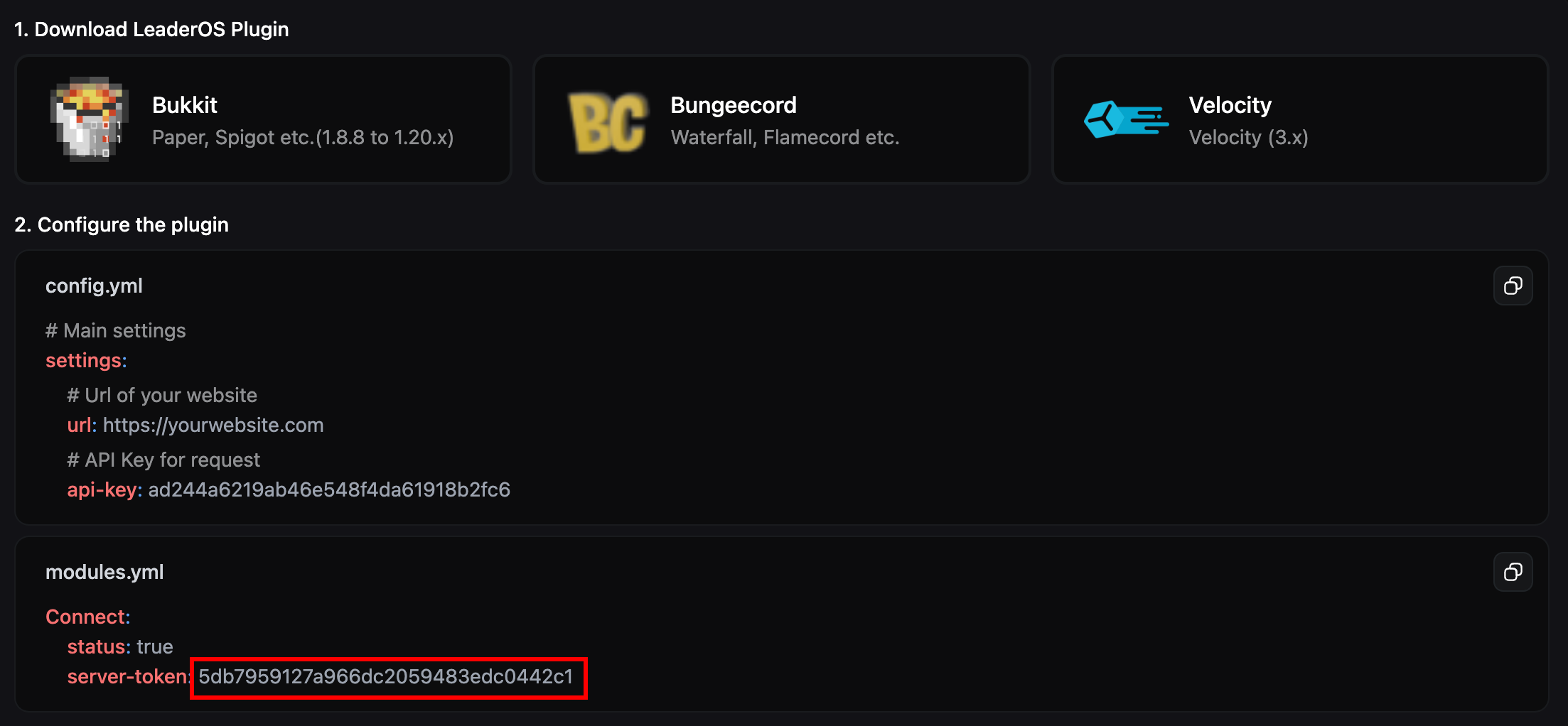
- Install and configure LeaderOS plugin on your Minecraft server. How can I set up LeaderOS plugin?
- Enable “Connect” module in modules.yml.
- Enter your “Server Token” for Connect module in modules.yml.
How can I create Server Token?
You can add a new server with the console type LeaderOS Connect or set the console type of existing servers to LeaderOS Connect.How can I do this by creating a new server?
- Go to Dashboard > Store > Servers > Add
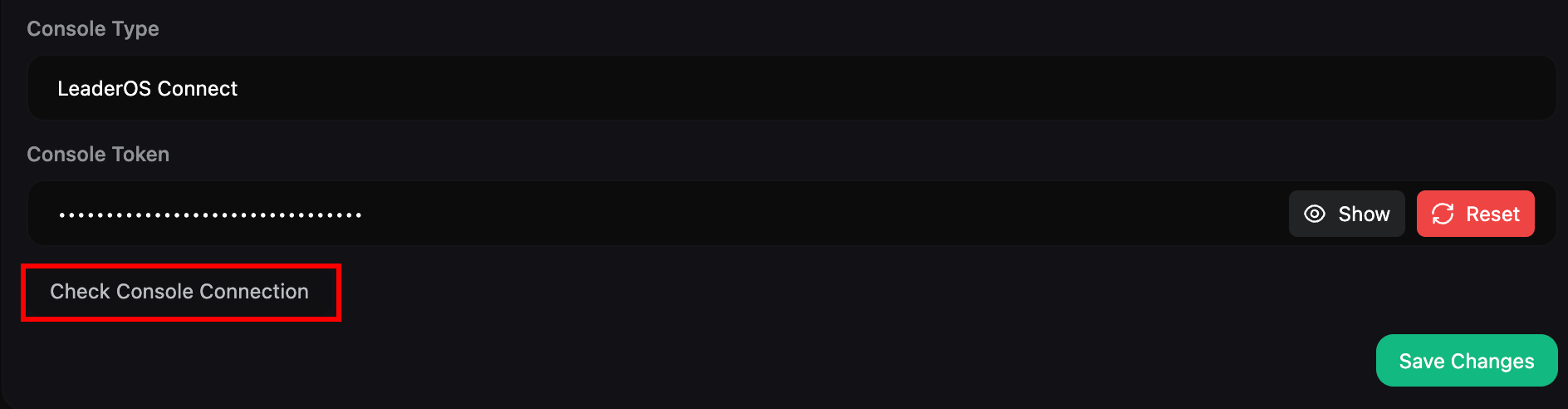
- Select “LeaderOS Connect” as the console type.
- Fill the other server fields.
- Click the “Create” button.
- You will be redirected to the plugin instruction page.
How can I generate a server token for an existing server?
- Go to Dashboard > Store > Servers and edit a server.
- Select “LeaderOS Connect” as the console type.
- Click the “Save Changes” button.
- You will be redirected to the plugin instruction page.
How can regenerate my server token?
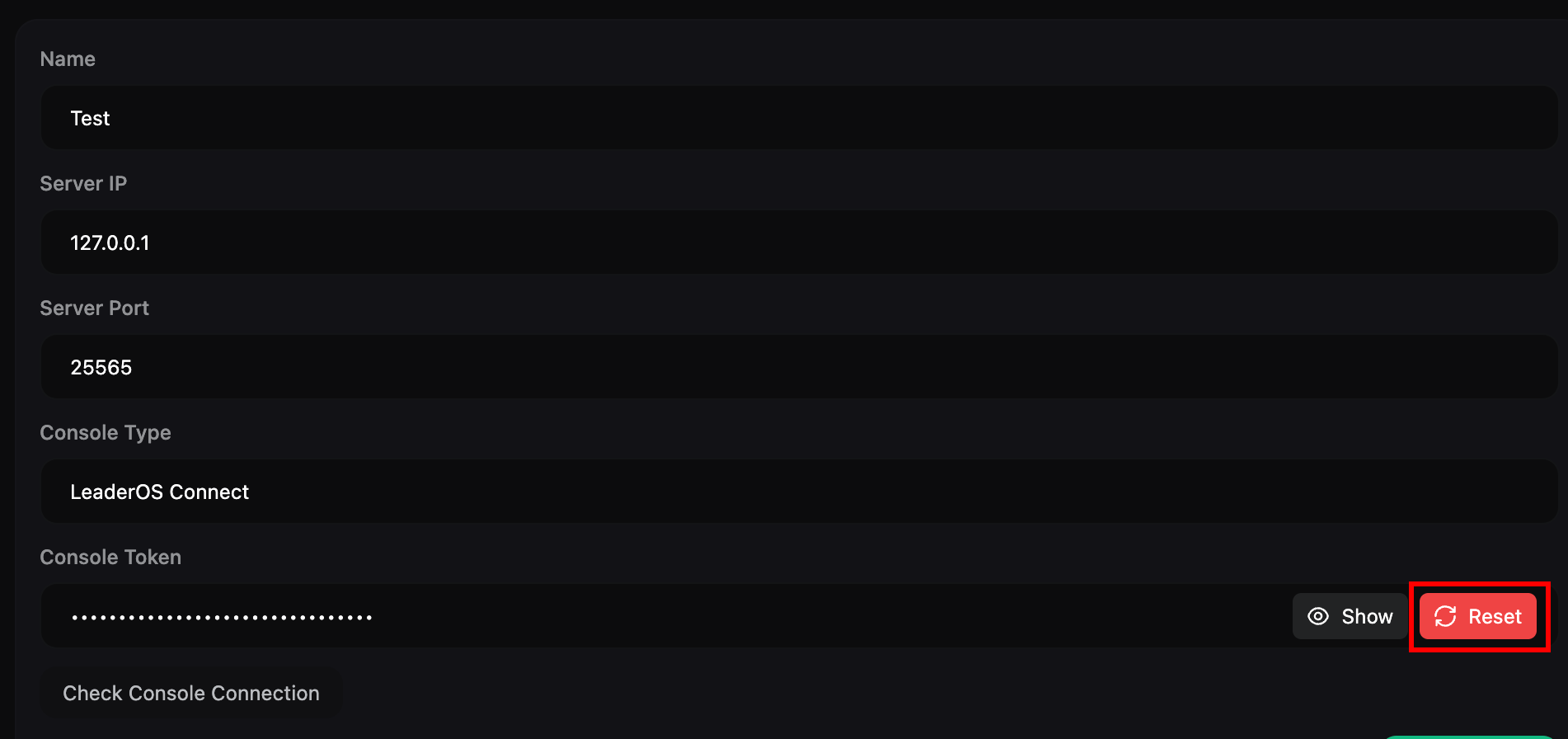
- Go to Dashboard > Store > Servers and edit a server.
- Click the “Reset” button.
- Replace the “server-token” field in the “modules.yml” file with the new one.
How can I check my console connection?
First, install the LeaderOS plugin and configure the connect module. After completing these steps, run your server. You can check the console connection. When the console connection is successful, you’ll see a log in your server console.